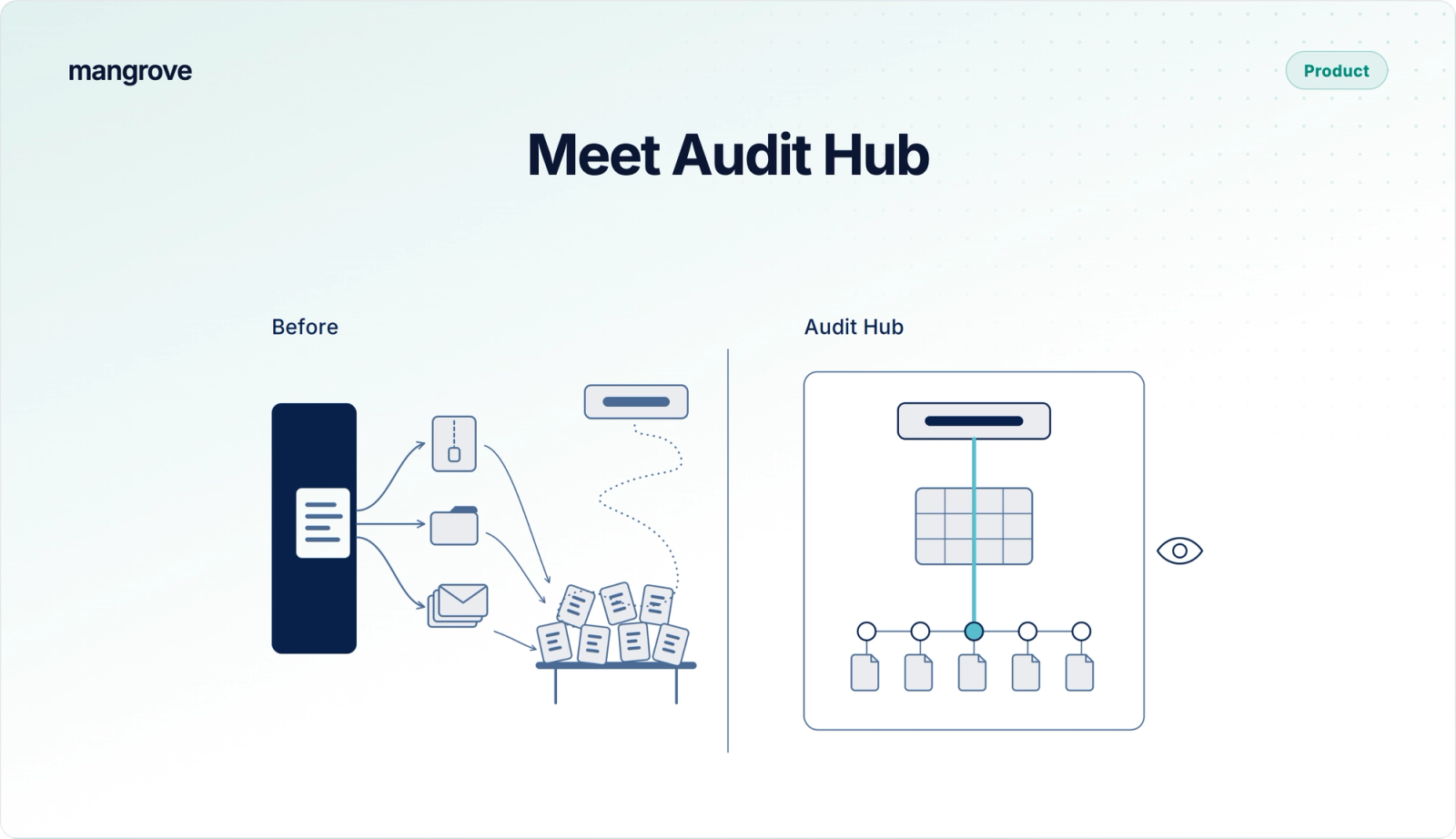
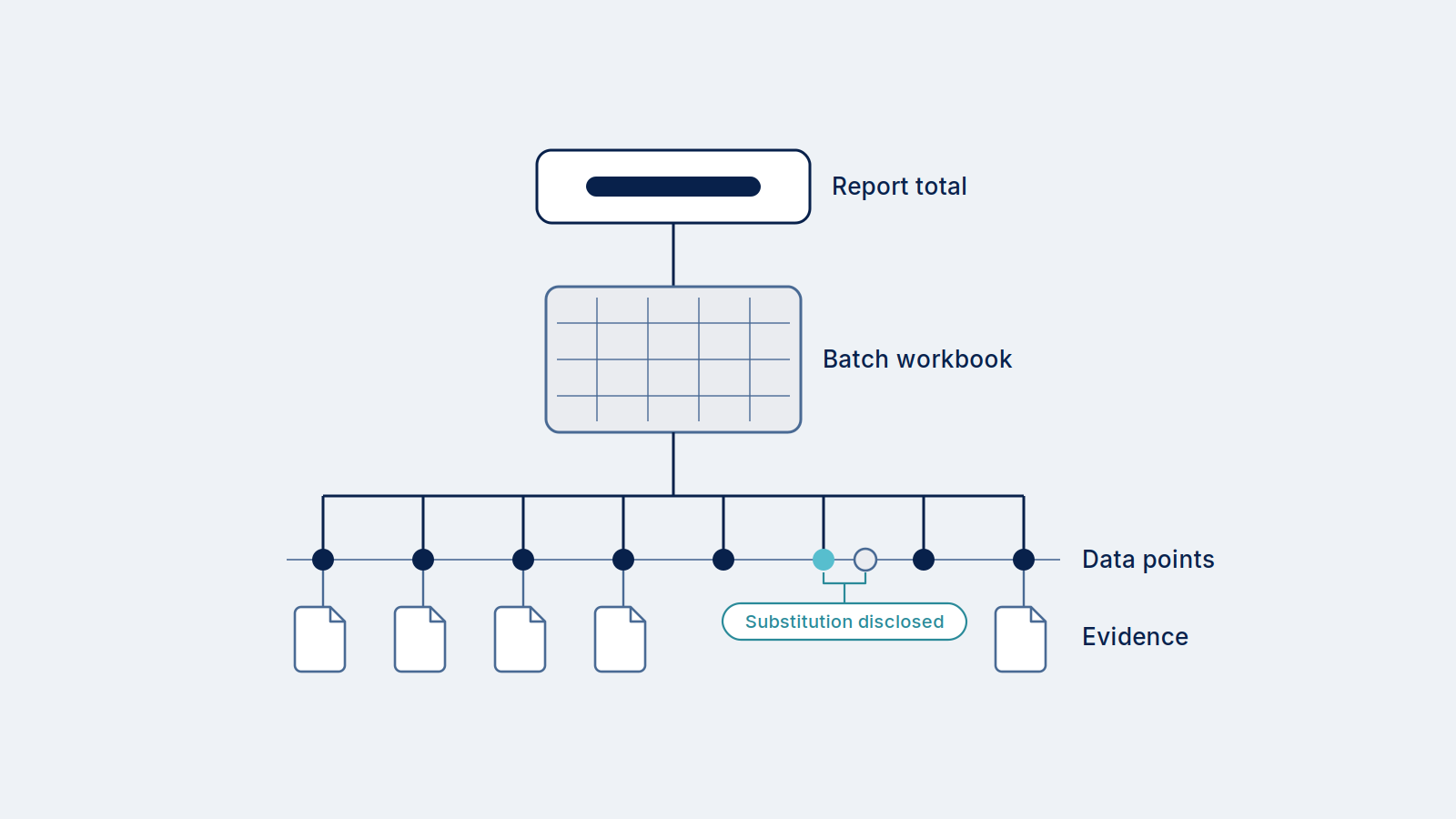
Audit Hub allows you to invite your Auditor to review your report data directly in Mangrove. Invite them by email from the report, and grant them access to all of the data underpinning the report: the reported total, the batch workbooks behind it, and the data points and evidence underneath. They work in the browser, or download the audit package with every workbook's formulas intact, for recalculation.
Verification is one of the slowest steps between a produced batch and a certified credit. Most of that time is not analysis. It goes to assembling evidence, answering follow-up requests and resending files, and every round trip produces another version of the record outside the system that generated it. Audit Hub takes that work off the producer. The auditor reads the record Mangrove already keeps.
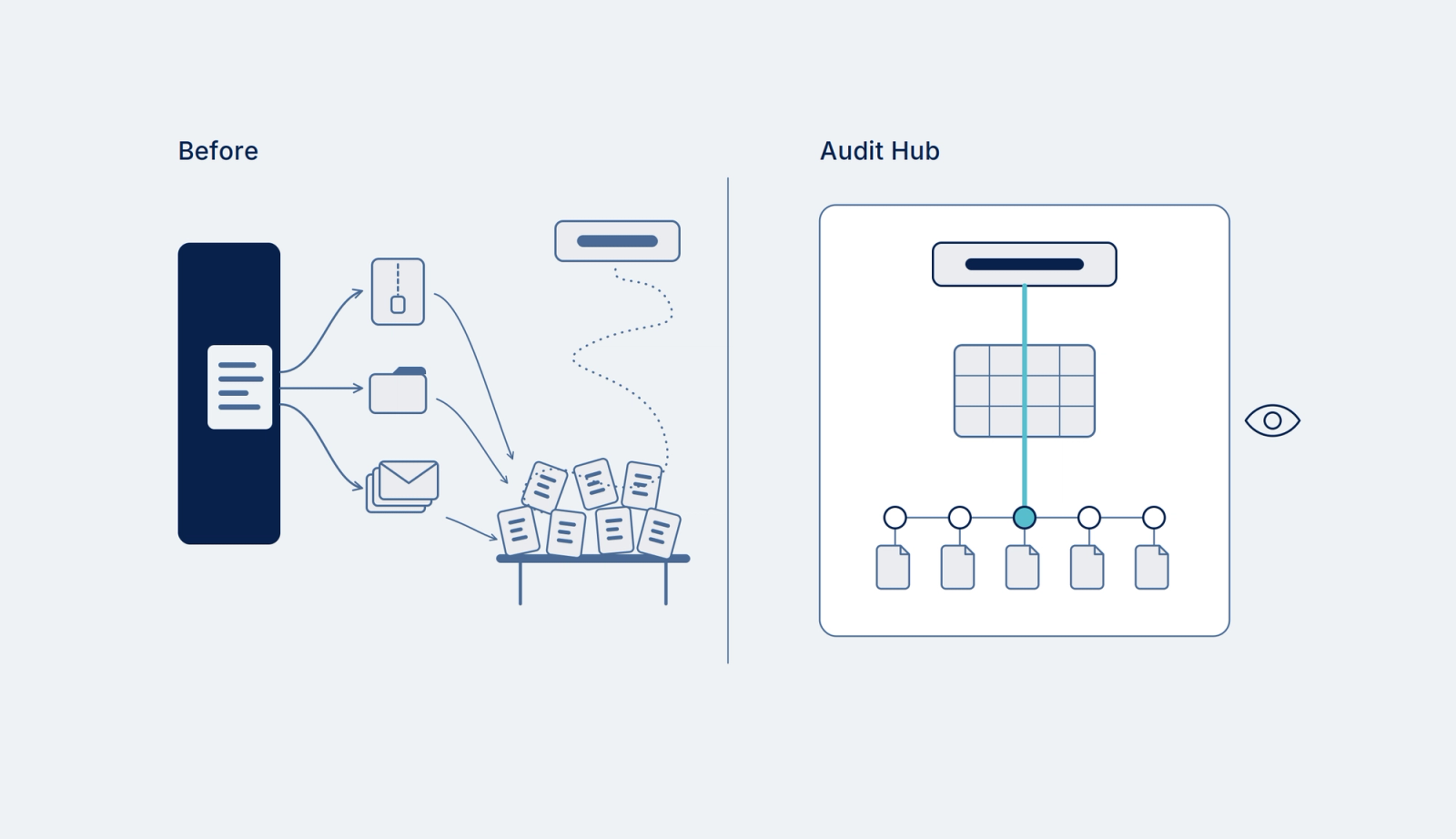
Here’s how it works
Inviting an auditor into Audit Hub
Invite from the report. Auditor access is provisioned on a per-report basis. Auditors are invited by their email and are required to accept invitations in order to access the report and its data.
Check what auditors will see before you send it. Easily preview the auditor view, so you can confirm the evidence and documents you expect are attached.
Access is scoped to the report. An auditor sees the reports you share with them and nothing else in your account.
What the auditor sees in Audit Hub
Auditors have access to the reports they have shared with them, across every producer they work with.
Every batch opens as a calculation workbook. Select a batch and the workbook behind it appears in the browser, from the reported total down to the measured data points that produced it. A link from one workbook to another file in the package opens the file right there, so a figure can be traced back to its source without leaving the report.
Corrections are disclosed where they happened. Wherever a value was substituted, the workbook shows the value as captured, what replaced it, which one the calculation used and the method that produced it, and a summary sheet lists every substitution in the batch. These are the substitutions our Data Rules make, disclosed to the auditor line by line.
Download the full package to Excel. Download Report Data (zip) delivers the complete audit package in one file, with every workbook's formulas intact and the links between files still working.
Where Audit Hub goes next
Bringing the auditor into the platform is the first step. Next we want to support collaboration: a question or a finding raised against the exact figure it concerns and answered in place, with the trail kept on the report.
Get your next audit on Audit Hub
If you have an ISCC, LCFS, RFS, 45Z or registry verification coming up, ask your Mangrove Implementation Engineer to enable Audit Hub, and invite your auditor.
If you are an auditor or verification body (VVB) whose clients run their compliance on Mangrove, join the auditor partner network so their next report reaches you in Audit Hub.
New to Mangrove as a project developer or auditor? Let’s chat! Fill out the form at the top of the page and we’ll reach out to learn more.