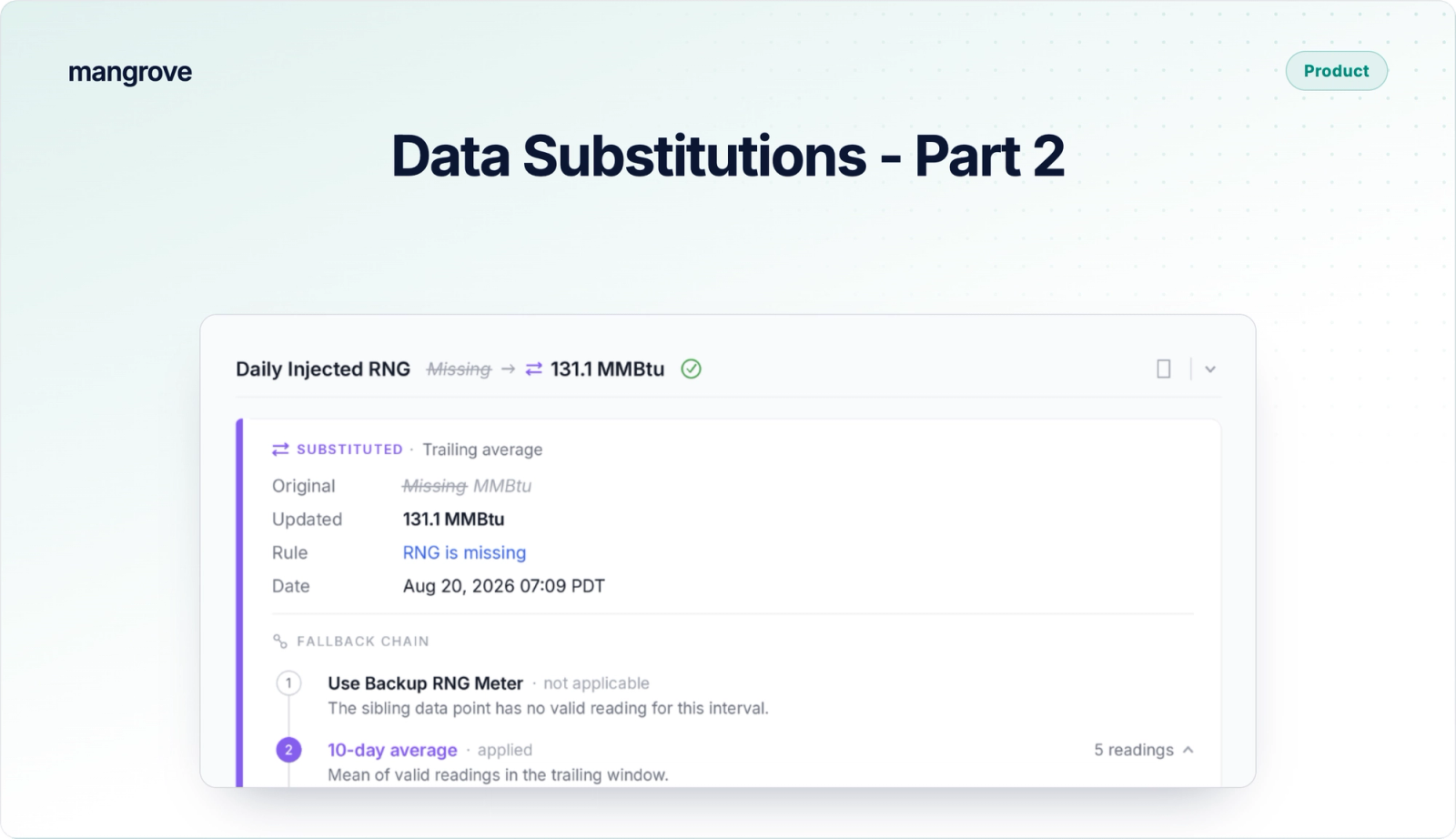
Every fifteen minutes, your SCADA historian logs a reading. But when the biogas flow meter drops out from Friday night to Monday morning, it leaves 240 blank intervals just before Wednesday’s reporting deadline. Nobody fills 240 gaps by hand. Instead, an engineer calculates one defensible weekend figure, applies it across the outage, and files an email explaining why. The number is usually right, but the rationale is lost. No system checks if the method broke compliance rules or left credited volume on the table. Nine months later, an auditor picks one interval at random, asks for proof, and all you have is an email chain. It’s a classic operational trap - a quick, sensible fix that makes sense today, but leaves you exposed nine months later.
At Mangrove, our data rules and substitutions eliminate this vulnerability. In Part 1 of our Data Assurance series, we covered the review half: catching invalid readings before they ever reach a report. This post covers the corrective half: missing or anomalous data substitution.
When large or small data gaps occur and a reporting deadline looms, someone still has to produce a number, which usually happens in external spreadsheets. Mangrove moves that work directly inside the platform. As a compliance system for low-carbon fuel and carbon projects, Mangrove allows the same rule that flags a gap to automatically substitute it using a customized method approved by the producer and their program rules. Every change creates a complete record - logging the original missing value, the raw source data, and the calculated replacement.
What a substitution rule does: replace an invalid reading and keep the original
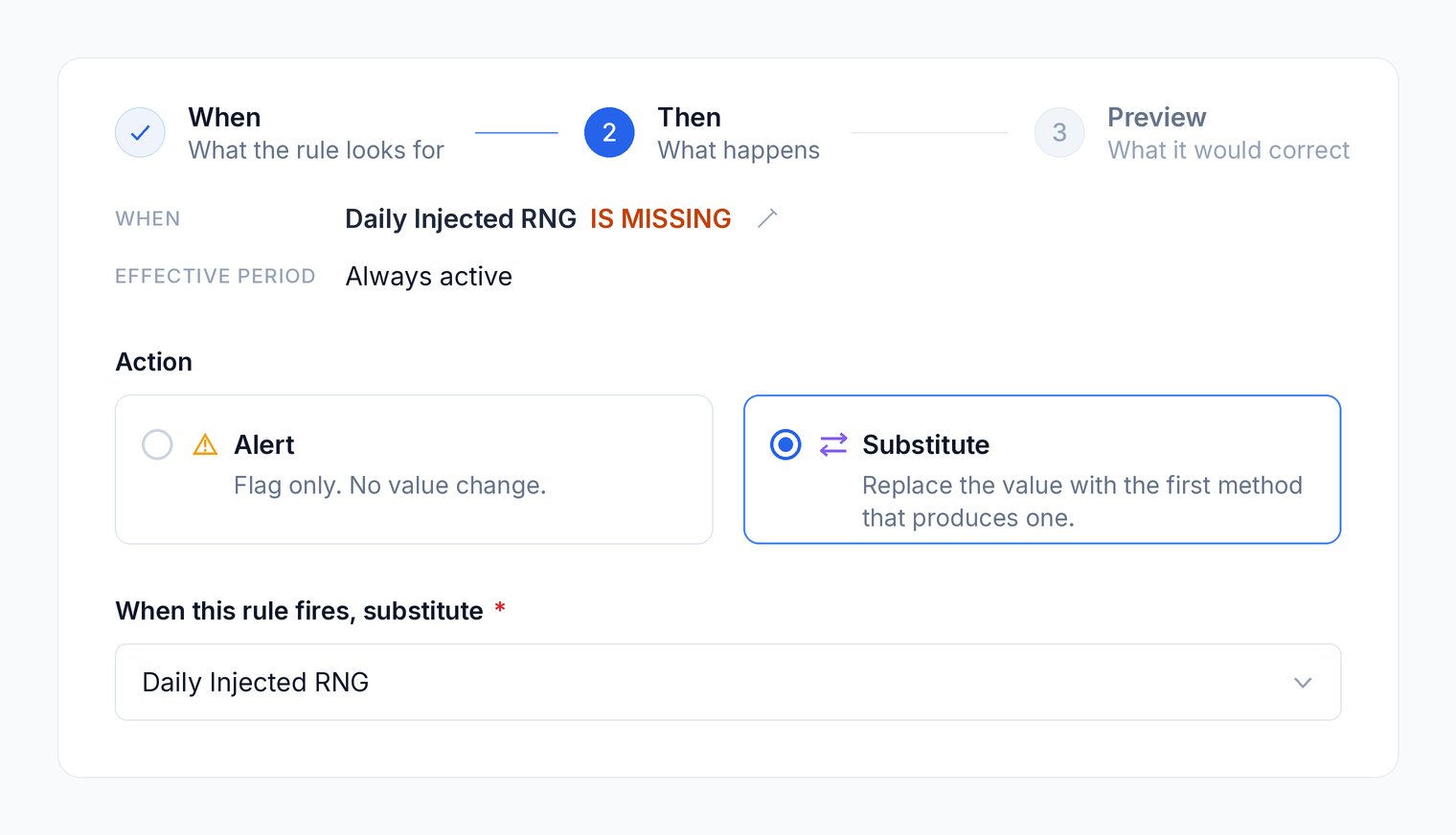
A data rule in Mangrove takes one of two actions when a reading is missing or invalid:
- Raise an alert: Flags the data point or set when an input is missing or falls outside a pre-set threshold.
- Substitute the reading: Replaces the flagged value with a new calculated number with its recorded calculation logic and audit trail.
Both actions trigger on the same condition, but only the outcome changes. An alert simply highlights the issue, while a substitution imputes a replacement using your pre-approved logic.
Crucially, your original measured reading remains on record. The correction is stamped with the exact rule version that created it, allowing the original value to be reviewed or restored at any time. Downstream calculations automatically pull the new figure for future reporting, while auditors maintain full visibility into all three key details: the original value, the substituted value, and the underlying logic used.
Substitution methods: backup reading, forward fill, trailing average, prescribed default
A replacement comes from a substitution method—and you can queue more than one. Mangrove evaluates your methods in the exact order you set, applying the first one that successfully generates a value. Because compliance frameworks vary, a biogas project reporting renewable natural gas under the California Low Carbon Fuel Standard and a biochar project reporting carbon removals under Puro.earth will structure their fallback order differently. Some examples of data substitutions include:
- Backup Analyzer: Pulls from a secondary sensor logged in the same record when the primary instrument fails.
- Forward Fill: Carries forward the most recent valid reading prior to the gap.
- Backward Fill: Pulls the nearest valid reading taken after the gap.
- Trailing Stats (Average, Min, Max): Computes a replacement from a rolling window over a defined timeframe. Using a trailing minimum is ideal when your program rules require conservative estimation to avoid over-crediting.
- Constant Value: Applies a fixed default factor, commonly required under frameworks like RFS and 45Z.
Sequence dictates execution in this case. The first method to return a valid value wins. For instance, For example, a biogas operator might set a backup analyzer as Priority 1, fall back to a 7-day trailing average as Priority 2, and stop there. If no rule in the stack produces a valid number, the original interval remains untouched and the system escalates an alert for human review.
How a substituted value shows its lineage to an auditor
Mangrove clearly flags any datapoint modified by a rule, whether it’s an imputed figure, a gap-fill, or a reading restored to its original state. Raw, untouched measurements carry no mark. This allows the user or auditor to filter and review every substitution that was made across a reporting period in a single view.
Clicking into any substituted datapoint reveals both the current value and the raw original, along with a complete data lineage:
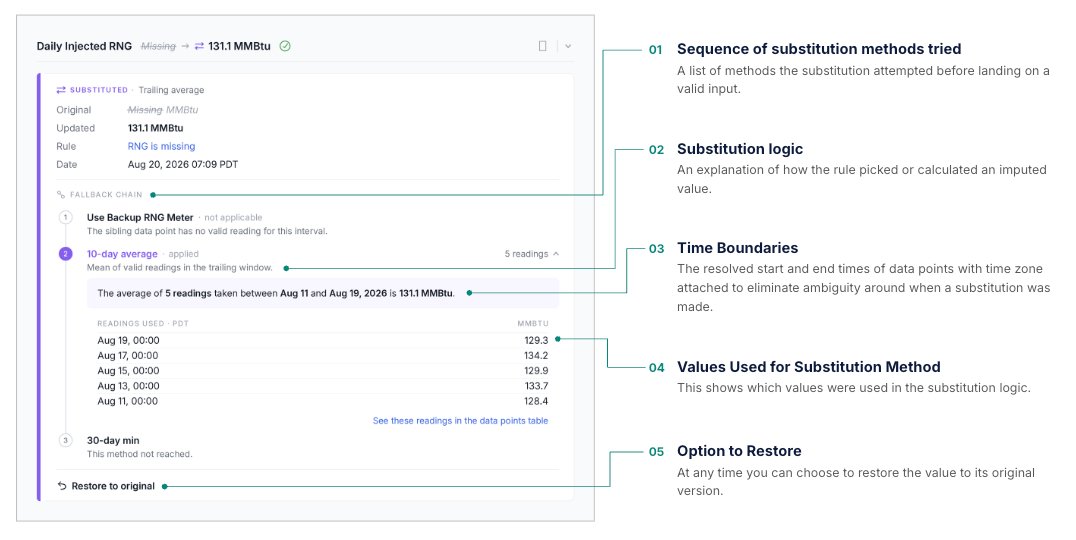
The evidence and data trail travels with the report. When you export the batch workbook for a reporting period, each measurement type receives a dedicated sheet. Auditors can inspect raw instrument logs side-by-side with the final calculated values and the exact rule version that generated the substitution.
Limits: what a substitution rule will not change
To ensure automated substitutions never compromise your reporting, Mangrove enforces four non-negotiable guardrails:
- No Compound Substitution: A substituted value is never built from another substituted value. Readings that already carry a correction are automatically excluded from every window, fill, or lookup calculation.
- Cascading Validation: Any replacement that breaks compliance threshold rules is rejected. If a calculated trailing average falls outside your permitted range, Mangrove skips that method and moves to the next method in your stack. Only when every method is exhausted will the reading remain untouched and trigger an alert that it’s been substituted.
- Immutable Reporting: Published numbers are locked. A reading tied to an already-filed report can never be overwritten by a new rule; instead, Mangrove flags the skipped update as an alert for visibility.
- Reversible Edits: Reverting a substitution immediately restores the original raw measurement, logging the rollback as its own distinct event in the audit trail.
Creating substitution rules
Creating a substitution rule takes place in Project Settings, following the same intuitive process as standard alerts:
- Step 1: Set the Data Rule. Define the specific condition that catches an invalid or missing reading (e.g., values out of bounds, sensor dropouts, or zeroes). For a deeper dive on writing data rules, see Part 1 of this series.
- Step 2: Define the Substitution Logic. Queue your fallback methods in priority order, such as checking a backup analyzer first, then falling back to a 7-day trailing average.
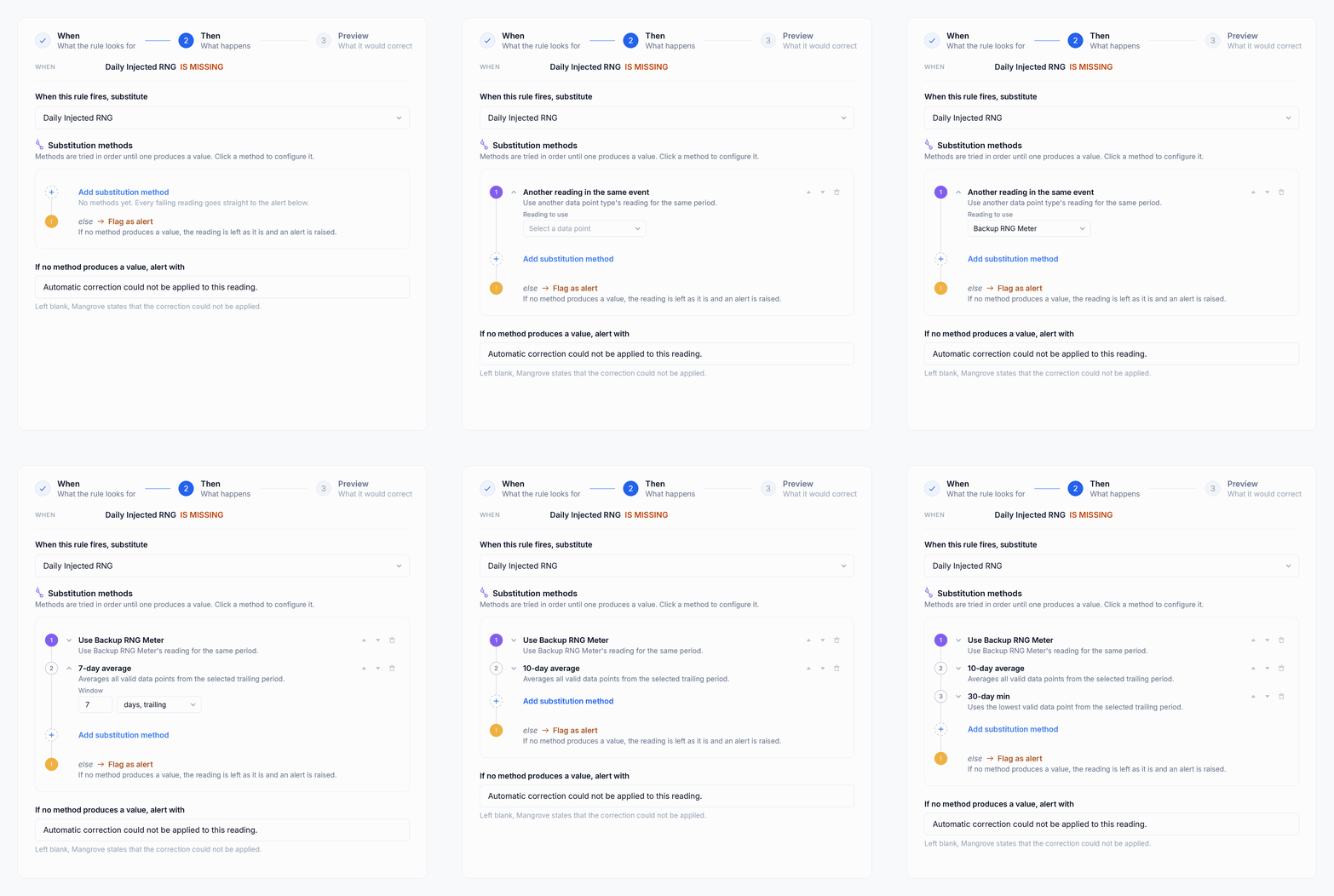
Before saving, Mangrove’s preview step lists every interval the new rule will impact. Once created, the rule automatically executes across all un-reported historical data within your specified date range, meaning a rule written this afternoon instantly cleans up the dataset for your upcoming reporting deadline.
Teams can also author substitution rules programmatically via the API or directly through an AI assistant using the Mangrove MCP server. Every correction, calculated output, and lineage record can be queried back through the same endpoints. For advanced logic, refer to our full Rule Expression Reference.
Why automated data substitution matters
Bringing data substitution inside Mangrove turns a fragmented, risky workaround into a defensible, single source of truth. When substitution logic lives in isolated spreadsheets and inbox archives, compliance relies on memory and manual labor. Moving that logic into the platform automates the heavy lifting while locking down data integrity. Operations teams save hours of stressful, deadline-driven manual entry, regulators get full transparency with an immutable audit trail, and project developers never lose revenue to guesswork or uncredited volume. By unifying detection, calculation, and lineage in one place, Mangrove transforms missing data from a costly audit liability into a seamless, fully compliant process.